
ZeroTrace HID
Web UI
Browser-based control center hosted on the device at 192.168.4.1
The web UI runs on the device itself — no install, no signup, no internet required. Connect to the ... ZT WiFi network and open http://192.168.4.1.
Panels
Script Executor
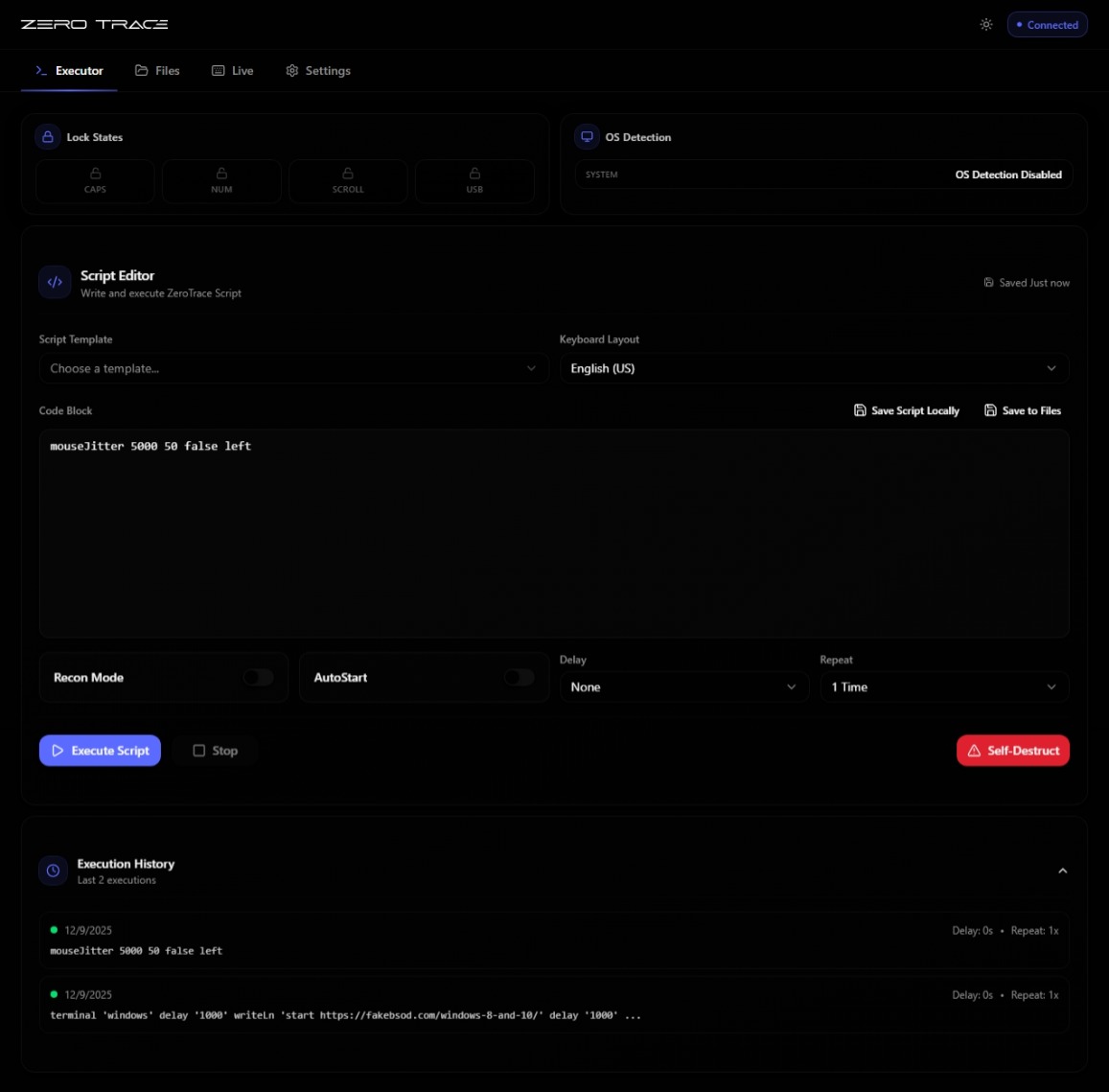
Edit and run scripts in real time. Save to device storage, hot-swap between payloads, watch the live execution log.
File Manager
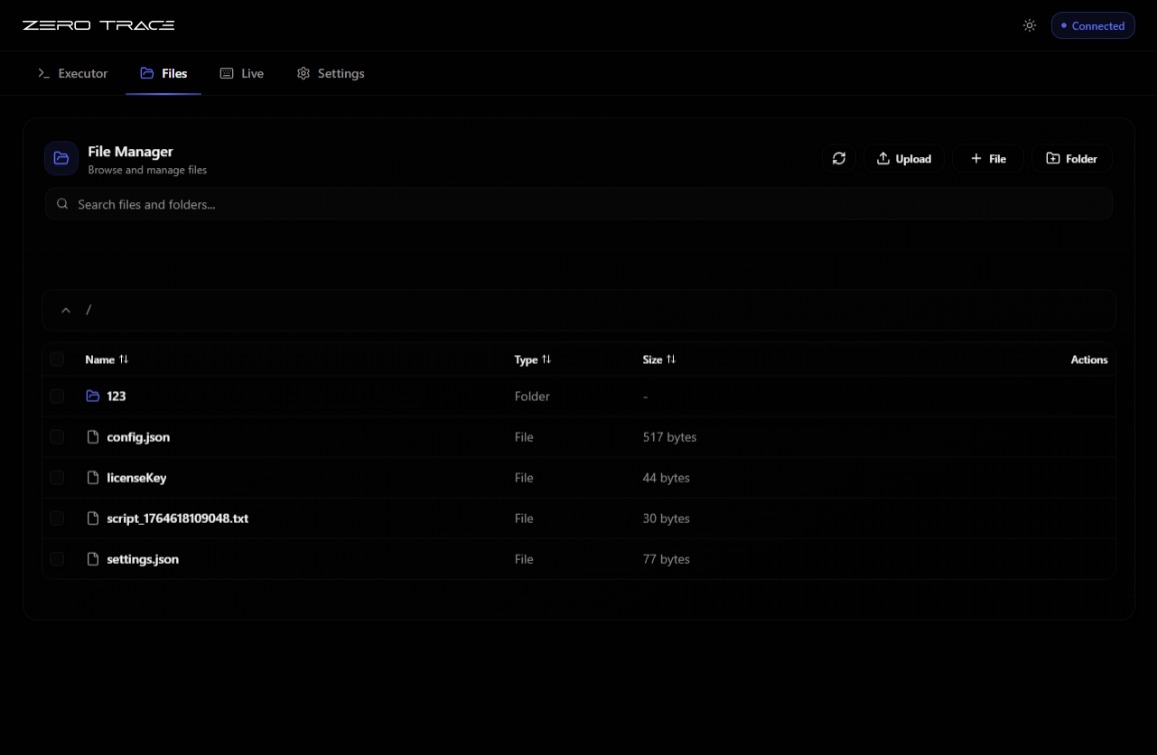
Browse the on-device filesystem (10 MB on Kit, 2 MB on Mini and Ghost). Upload, edit, rename, delete. Set the autostart script.
Live Mode
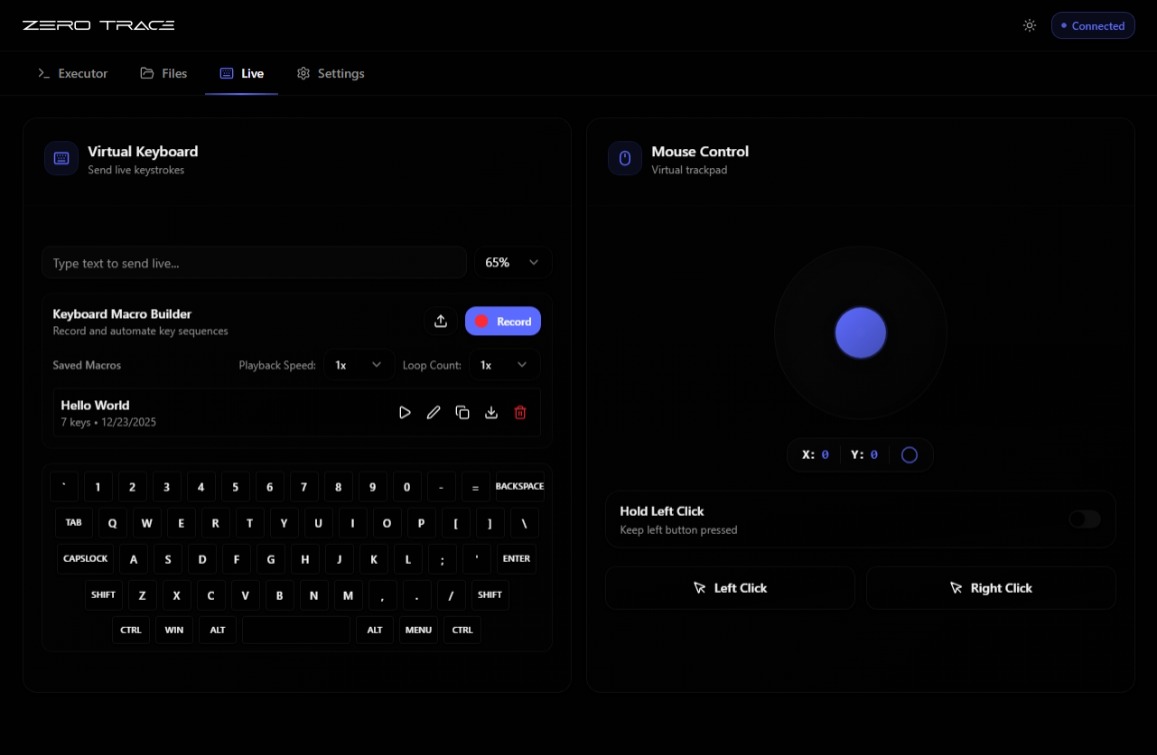
Virtual keyboard and mouse — type or move the cursor on the target host directly from your phone or laptop. Switches transports automatically (USB-HID or BLE-HID) via SilentTrace.
Live mouse is USB-HID only. BLE doesn't carry pointer reports. Live keyboard works over both.
Settings
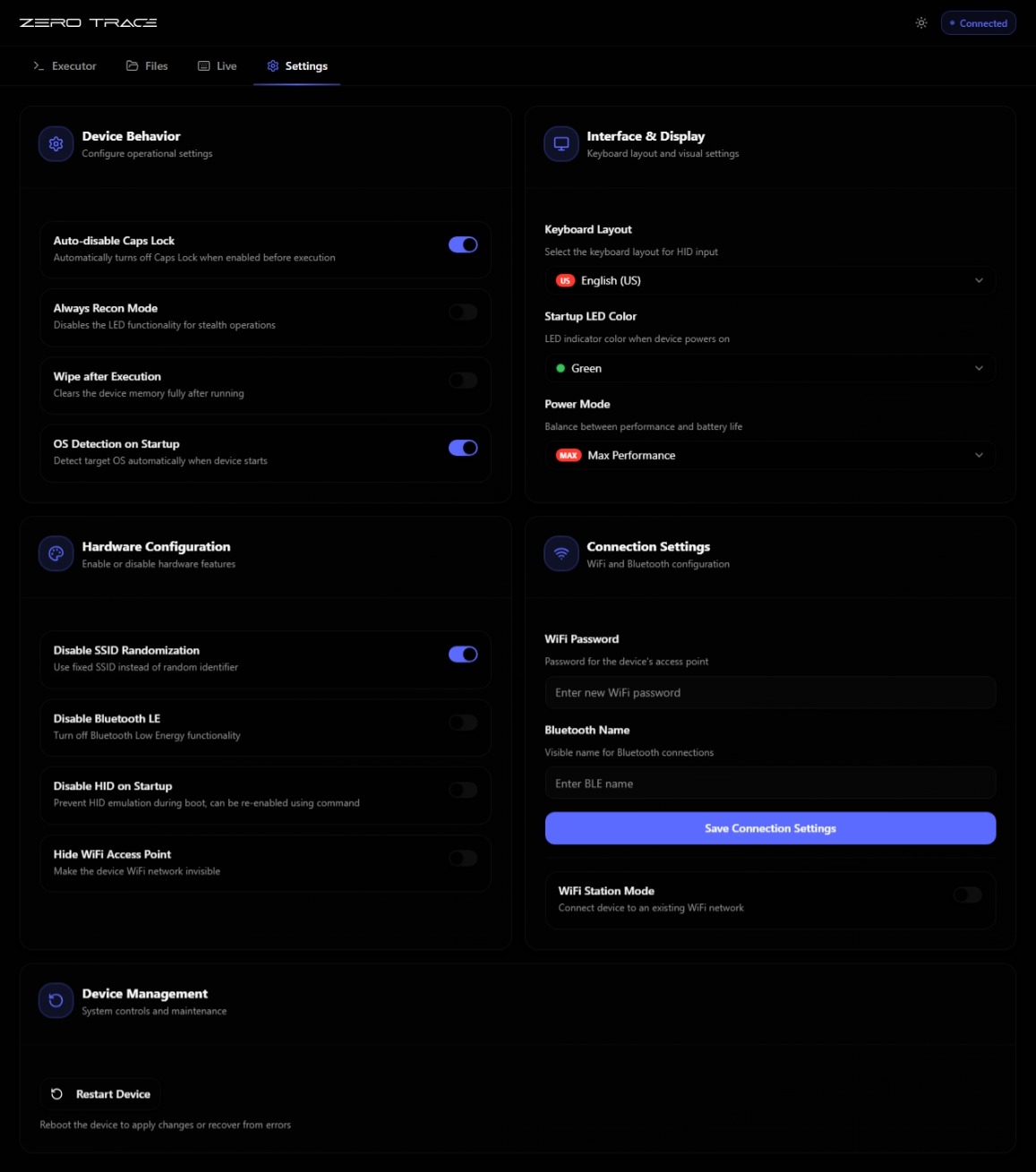
WiFi (AP/STA, SSID, password), keyboard layout, power mode, HID mode (keyboard/mouse/MSC), BLE spoofing identity, OS detection toggle, autostart, recon mode, self-destruct, TraceNetwork passphrase.
Workflow advantage
| Step | Classic HID injector | ZeroTrace |
|---|---|---|
| Edit | Local IDE | Browser |
| Build | Compile to firmware | None |
| Deploy | Flash device | Save in browser |
| Test | Plug, run, observe | Click run |
| Iterate | Repeat all four | Edit, click run |
The compile-flash-test cycle drops out entirely — scripts run instantly off the device's filesystem.
Tips
- Bookmark
http://192.168.4.1on your phone — fastest path back to the script editor. - Lock the AP password in Settings if you use the device in shared spaces.
- Switch to STA mode (join an existing WiFi) if you want to control the device from the same network as everything else.